

XJRunner
Run XJTAG tests in manufacturing
XJRunner is XJTAG’s production line tool, reliable and easy to use, with features that make fault location easy and that make your work easier no matter whether you are producing a short run of a few units or are manufacturing at high volume.
In one package, you have interconnection testing, in-system programming, non-JTAG device testing, serial number handling and configurable log files for your audit trail.
XJRunner tests are loaded from a single encrypted file that contains a compressed version of the XJTAG project created in XJDeveloper by your design or test engineers. This means that your tests cannot be changed in the production environment. The consistency that this ensures for your testing process can be seen when reviewing the configurable log files that can be produced whenever you test a board.
XJRunner has a simple Run/Stop, Pass/Fail interface which makes first pass testing a simple point-and-click operation, ideal for the production line. Configurable run-time messages can tell the tester about any required procedures both before and after testing each board.
Key benefits
Improves your QA through configurable logging
Output can be logged in plain text or in an XML file with text formatting. XML log files are machine readable to facilitate data import into other systems.
Retain control over third-party board testing
Tests cannot be edited in XJRunner and restrictions can be put on project configuration if necessary.
User-friendly environment reduces training costs
Different levels of user privilege allow for a simple interface in production but more options for troubleshooting staff.
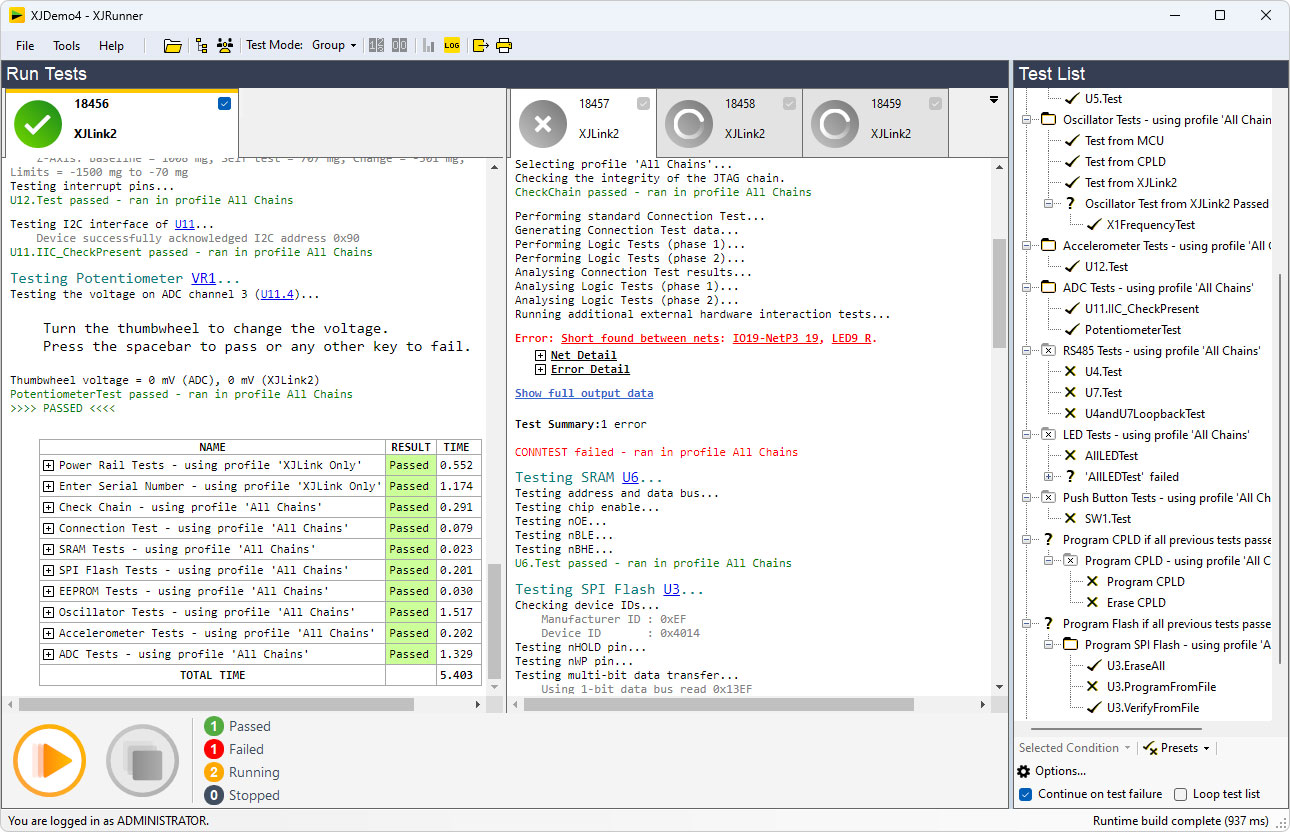
Ability to test multiple boards, simultaneously
Multiple XJLinks can be connected to a single computer, only one of which requires an XJRunner licence.
Work with LabVIEW™ or other Test Executives
The supplied XJIntegration API allows other software to call XJRunner programmatically to perform tests as part of a larger integrated system.
Perform test and ISP in a single step
Testing and in-system programming can be carried out together. XJRunner supports XJFlash accelerated programming with no additional licence required.

User Management
XJRunner has multiple levels of user privilege. Using user IDs not only allows the operator to be logged for audit purposes, but allows you to give a user access to just the XJRunner features they have been trained to use. At the least privileged level, users can simply run a complete set of tests on a board, while more advanced operators might have privileges that allow them to carry out more complex testing or to manage project settings.
Powerful, flexible, diagnostic testing
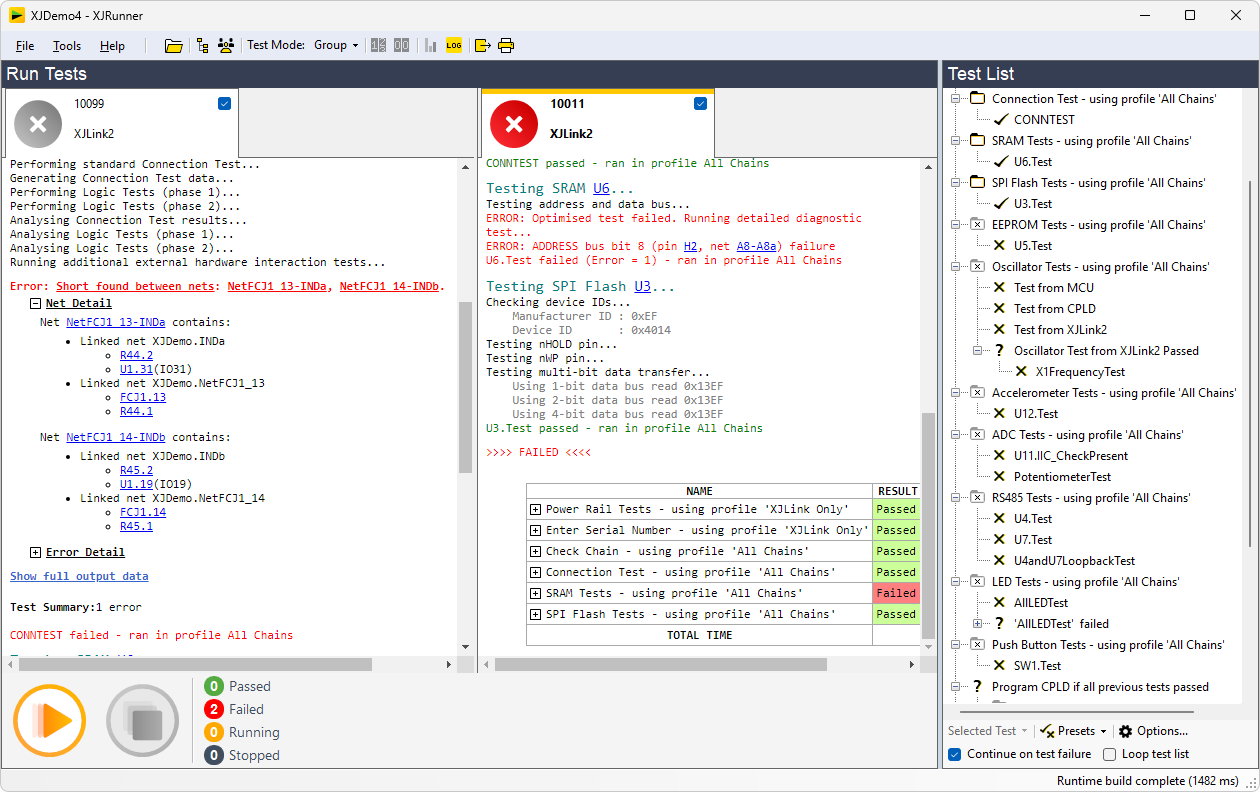
After the project’s default set of tests detect a faulty board on the production line, advanced users can then pinpoint faults by running additional tests and debug procedures. They can also choose to run a particular test, or set of tests, a number of times, or even run a test continuously to help diagnose particularly tricky or intermittent problems on a board.
XJRunner also provides statistics on the percentage of boards that have passed/failed as well as Fault Trend Analysis, highlighting tests prone to failure.
Layout & Schematic Viewers included
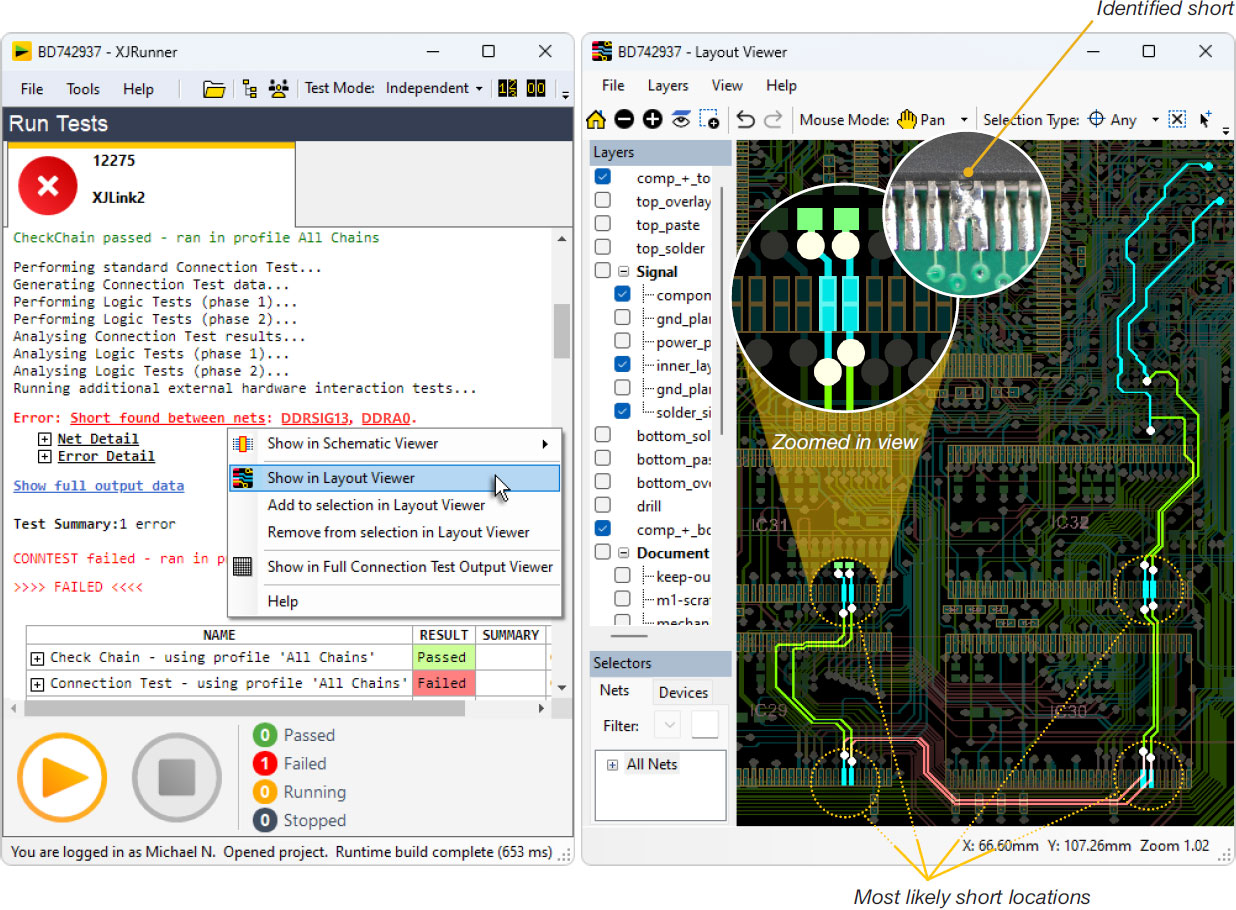
If any faults are found when running tests, the Layout Viewer and Schematic Viewer* can be used to locate and understand the faults on the board by showing the schematic design and the physical routing of nets, which highlight the potential problem areas. You can also quickly find any component, pin or net in your circuit when trying to pinpoint a fault.
In order to use the Layout Viewer you’ll need to use ODB++ when developing the project or the target system.
* For your manufacturer to use the Layout and Schematic Viewers in XJRunner, you have to explicitly export the relevant information from XJDeveloper. Conversely, if the information needs to be kept confidential, do not export it to XJRunner.
Log Files
All test output can be logged. There are options to choose both what other data is logged (time, date, serial number, user information, etc.) and how the logs should be grouped (e.g. keep all output for the same board in the same file).
Serial numbering
XJRunner can also program and log serial numbers, or other forms of identification such as MAC addresses. These can be generated or obtained by the packaged XJTAG project, or be input directly (e.g. from a bar code reader).
Easily Portable Testing
All of the files needed to run tests on a board are packaged together in one XJPack file, making it easy to transfer tests between different computers and sites.
Features
- Run-time environment for XJDeveloper tests
- Simple, controlled test execution
- Handles a variety of serial number systems
- Log files for audit trail
- Variable levels of access for different user roles
- End user access restrictions specified at development time
- Fault Dictionary to capture the expertise of your engineers
- Two modes for simultaneous board testing
- Board statistics and fault trend analysis
- Physical location of faulty nets can be displayed visually in the Layout Viewer*
- Circuit design around faults can be viewed in the Schematic Viewer*
- XJIntegration allows control of XJRunner from other test systems
* For your manufacturer to use the Layout and Schematic Viewers in XJRunner, you have to explicitly export the relevant information from XJDeveloper.
Conversely, if the information needs to be kept confidential, do not export it to XJRunner.
Related Products
 XJInvestigator
XJInvestigator combines the capabilities of XJRunner with XJAnalyser for extra debugging functionality to help diagnose faults when boards fail their tests.
The XJAnalyser application can also be run separately to interact directly with JTAG devices in real time, controlling and reading pins through an intuitive graphical interface. This allows you to easily prove connectivity, check pin values, or monitor for unexpectedly changing signals.
Explore XJInvestigator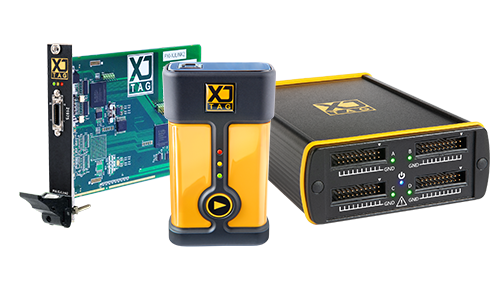 JTAG Controller Hardware
A range of high-performance JTAG boundary scan controllers are available to suit different test environments and system configurations, whether that’s a compact benchtop USB setup, integrated into a PXI rack or setup for parallel tests in production.
Explore Test Controller Range