Connecting Test Controllers

XJLink-PF40

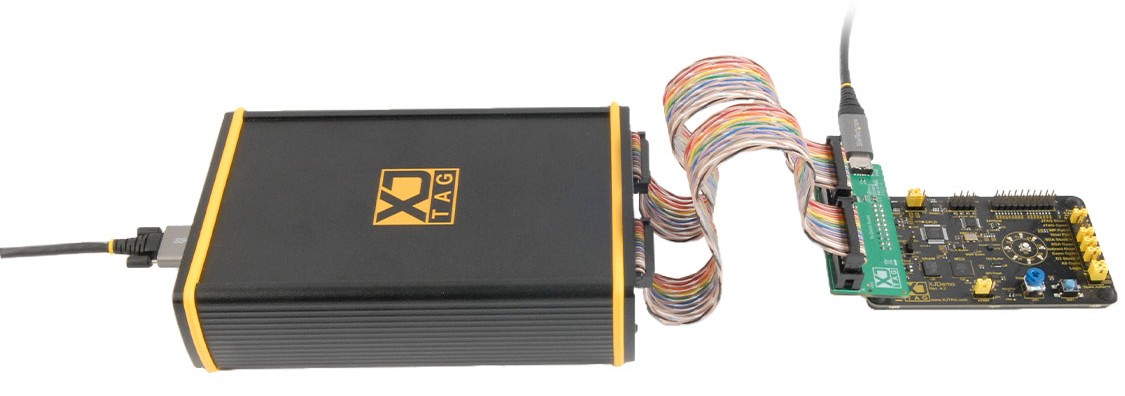
Figure 1.
XJTAG XJLink-PF40 test controller connected to demo board

Kit contents

  • 1 x XJLink-PF40 (XPF-0040)
  • 4 x 20-way twisted pair ribbon cables (CAB-0014) 
  • 1 x Locking USB-C cable (CAB-0011) 
  • 1 x 20-way IDC breakout cable (CAB-0033)


Supplied with XJDeveloper systems (or on request)

  • XJDemo Board
  • XJDemo Board connection adaptor
  • Non-locking USB-C cable (CAB-0012) 


To connect your XJLink-PF40 to the XJDemo Board for the installed tutorials:

  1. Connect the locking USB cable between your XJLink-PF40 and your computer.
  2. Plug one end of the twisted pair, rainbow cables into ports A and B of the XJLink-PF40.
  3. Plug the other end of these cables into the provided adapter as shown in Figure 1.
  4. The non-locking USB cable is to power the XJDemo Board. Connect this cable to the adaptor board as shown with the other end connected to any USB port that can supply power (this does not need to be on your computer). Plug the adapter into your XJDemo Board as shown.

XJLink-PF20

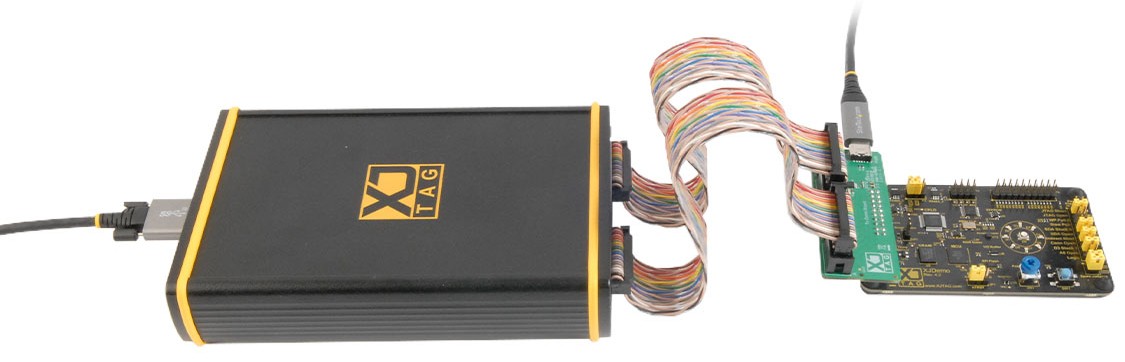
Figure 2.
XJTAG XJLink-PF20 test controller connected to demo board

Kit contents

  • 1 x XJLink-PF20 (XPF-0020)
  • 2 x 20-way twisted pair ribbon cables (CAB-0014) 
  • 1 x Locking USB-C cable (CAB-0011) 
  • 1 x 20-way IDC breakout cable (CAB-0033)


Supplied with XJDeveloper systems (or on request)

  • XJDemo Board
  • XJDemo Board connection adaptor
  • Non-locking USB-C cable (CAB-0012)


To connect your XJLink-PF20 to the XJDemo Board for the installed tutorials:

  1. Connect the locking USB cable between your XJLink-PF20 and your computer.
  2. Plug one end of the twisted pair, rainbow cables into ports A and B of the XJLink-PF20.
  3. Plug the other end of these cables into the provided adapter as shown in Figure 2.

XJLink2

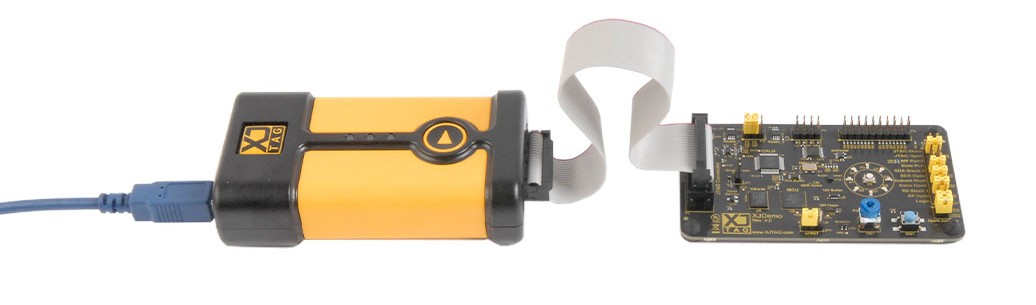
Figure 3.
XJTAG XJLink2 test controller connected to demo board

Kit contents

  • 1 x XJLink2 (XRL-0010)
  • 1 x 20-way ribbon cable 200mm (0.1”) (CAB-0002)
  • 1 x Blue USB cable w/ velcro (CAB-0003)
  • 1 x XJLink Loopback Board (LBB-0010)
  • 1 x Splitter Signal Integrity Board, Elbow (XJA-0030)


To connect your XJLink2 for the installed tutorials:

  1. Use the blue USB cable to connect the XJLink2 to your computer.
  2. Use the ribbon cable to connect the XJLink2 to the XJDemo Board.


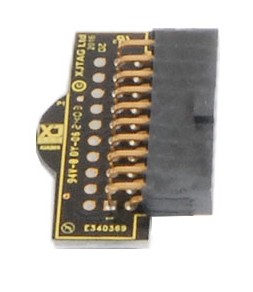
You are provided a loopback adapter with the XJLink2.

 
Figure 4. Loopback adapter

XJTAG Loopback adapter

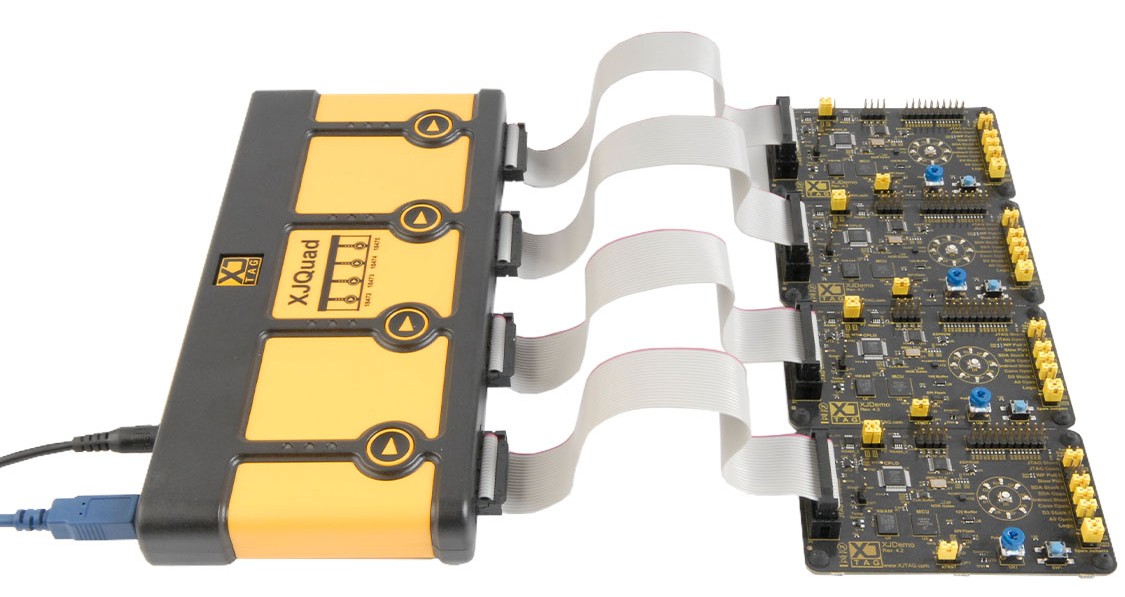
XJQuad

Figure 5.
XJTAG XJQuad test controller connected to demo board

Kit contents

  • 1 x XJQuad (XQS-0040)
  • 4 x 20-way ribbon cable 200mm (0.1″) (CAB-0002)
  • 1 x Blue USB cable w/ velcro (CAB-0003)
  • 1 x XJLink Loopback Board (LBB-0010)
  • 1 x Power supply, IEC inlet. 2.1mm barrel output, 12V 1.5A (PSS-0000)


To connect your XJQuad for the installed tutorials:

  1. Connect the power cable to XJQuad.
  2. Use the blue USB cable to connect the XJQuad to your computer.
  3. Use the ribbon cable to connect the XJLink2 to the XJDemo Board. You are provided only 1 demo board but can connect up to 4 of your own boards to the XJQuad as shown in Figure 5.


You are provided a loopback adapter (Figure 4) with the XJQuad.

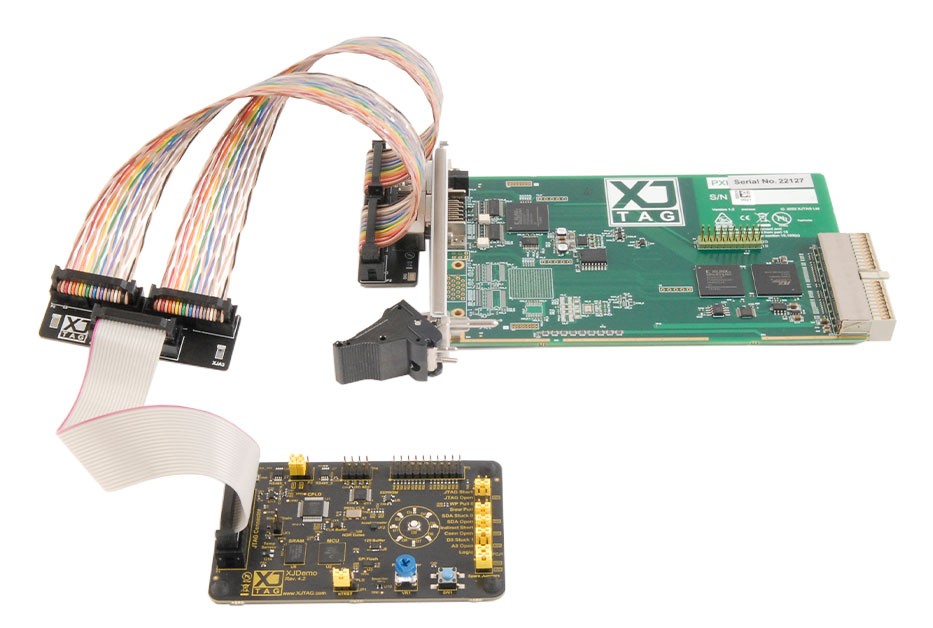
PXI-XJLink2

Figure 6.
XJTAG PXI-XJLink2 test controller connected to demo board

Kit contents

  • 1 x PXI-XJLink2 (RXX-0030) 
  • 3 x 20-way ribbon cable 200mm (0.1″) (CAB-0002) 
  • 1 x XJLink Loopback Board (LBB-0010) 
  • 1 x Splitter Signal Integrity Board, PXI (XJA-0032) 
  • 1 x Splitter/Combiner Signal Integrity Board, Standard (XJA-0033) 


To connect your XJQuad for the installed tutorials:

  1. Plug in the two twisted pair, rainbow cables to the adapter attached to the PXI-XJLink2 board.
  2. Plug in the two twisted pair, rainbow cables to the provided Splitter/Combiner Signal Integrity Board (3 slotted) on the side with two slots as shown in Figure 6.
  3. Plug in the ribbon cable to the side with one slot.
  4. Plug in the other side of the straight ribbon cable to your board as shown in Figure 6.

Figure 7.
20-way IDC breakout cable 200mm (0.1″)

You are provided 1 x 20-way IDC breakout cable (CAB-0033) with every kit.