“It’s Only a Small Board Change…” What Could Possibly Go Wrong?
 Simon Payne, CEO, XJTAG
|
October 20, 2026
Subscribe to LinkedIn newsletter
Simon Payne, CEO, XJTAG
|
October 20, 2026
Subscribe to LinkedIn newsletter

We recently spoke to an engineer about a new revision of an existing PCB.
The message was:
“It’s only an iterative change.”
The implication was understandable: the design changes are small, so the additional test work should also be small.
And they may be absolutely right.
But it raises an important question:
How do you know?
A small PCB revision does not automatically mean a small test impact.
How Much Test Work Does a Small PCB Revision Really Create?
The answer depends less on how many things changed and more on what those changes affect.
A reset signal may have moved.
A buffer may have been added.
A memory device may have been replaced.
A previously unused FPGA pin may now be connected.
A power rail or enable sequence may have changed.
Each change may be small on the schematic, but if an existing test depends on it, the impact can be much greater.
Every test makes assumptions about the hardware: which devices are fitted, how signals are connected, what can be controlled and observed, and how devices behave during test.
Change one of those assumptions and the existing test may need to change too.
What If the Change Is at the Centre of the Board?
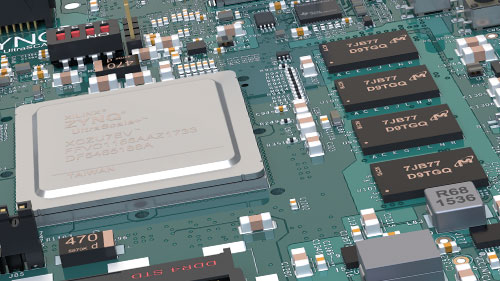
Now consider replacing the FPGA or processor at the heart of the design.
Perhaps the new device performs essentially the same function and most of the surrounding circuitry is unchanged.
It may look like a straightforward substitution.
But that device may interact with a significant proportion of the board and therefore affect many existing tests.
For teams using Boundary Scan, there is another important consideration:
Is the BSDL file correct for the exact device and package now fitted?
Boundary Scan software relies on the BSDL file to describe the device’s pins, Boundary Scan cells, instructions and test capability.
So a change that appears on the design change list as:
“FPGA changed from A to B”
could potentially affect considerably more of the existing test strategy than the change list initially suggests.
This is why test effort isn’t proportional to the number of changes.
It depends on how central those changes are to the tests already developed.
Regression Testing Isn’t Just for Software
Software engineers are familiar with regression testing.
A small code change doesn’t mean rewriting the entire application, but it does mean understanding what else could have been affected.
PCB test deserves the same approach.
For every revision, ask:
- What changed?
- Which existing tests depend on it?
- Which assumptions are still valid?
- Which tests can remain unchanged?
- Which tests need modifying?
- Is any additional test coverage required?
The objective isn’t to assume everything has changed.
It’s to avoid assuming nothing has.
Reuse Should Still Be the Goal
Last week, we looked at the value of reusing tests developed during bring-up through production, repair and support.
A new board revision shouldn’t change that principle.
Good reusable tests should make iterative development easier.
The aim is to preserve everything that remains valid and concentrate engineering effort only on the tests affected by the new design.
Reuse the test — but validate the assumptions behind it.
That is far more efficient than designing a complete test strategy again for every PCB revision.
Closing Thought
“It’s only an iterative change” may be completely true.
And the additional test-development work may genuinely be trivial.
But that should be the conclusion of an impact review, not the assumption at the start of one.
When the next PCB revision is released, ask:
What changed?
Which of our existing tests depend on those changes?
Are the assumptions behind those tests still valid?
Then preserve everything that still works.
The objective isn’t to design a complete test from scratch. It’s to know which tests need changing — and why.
Board Design Tip of the Week
When documenting your next PCB revision, add one more item to the change list:
Test impact.
For each design change, consider whether it affects:
- Component functionality or pinout
- Signal routing or connectivity
- Resets, enables or mode settings
- Power rails or sequencing
- Interfaces and control signals
- Physical test access
- Programming or configuration
- Existing test assumptions
And if Boundary Scan forms part of your test strategy, also check whether the change affects the BSDL/device model or JTAG architecture.
A short review at this stage can prevent a “small change” from becoming an unexpected test-development problem when the revised boards arrive.
Discover more about your board design with the Free XJTAG Layout Viewer.
To get started find out how the Free XJTAG Layout Viewer can help you see on your board:
Related Reading